Affiliate Disclosure: This post may contain affiliate links. If you click and make a purchase, I may earn a small commission at no extra cost to you.
Pinterest pin clicks are the reason your blog either grows or stays invisible.
If you’ve been posting on Pinterest but getting little to no clicks, you’re not alone.
Most beginners assume:
- “I need to post more pins”
- “Maybe my designs aren’t good enough”
But that’s not the real problem.
👉 The real issue is this:
your pins aren’t clearly communicating why someone should click
Pinterest moves fast. People don’t stop to figure things out.
If you’ve been wondering how to get clicks on Pinterest, it usually comes down to one thing — clarity.
If you’re completely new and still figuring out how Pinterest traffic works, start here first:
How to Use Pinterest to Grow Blog Traffic (Beginner Guide)
In this post, we’re fixing what actually matters —
👉 how to create pins that get attention and clicks.
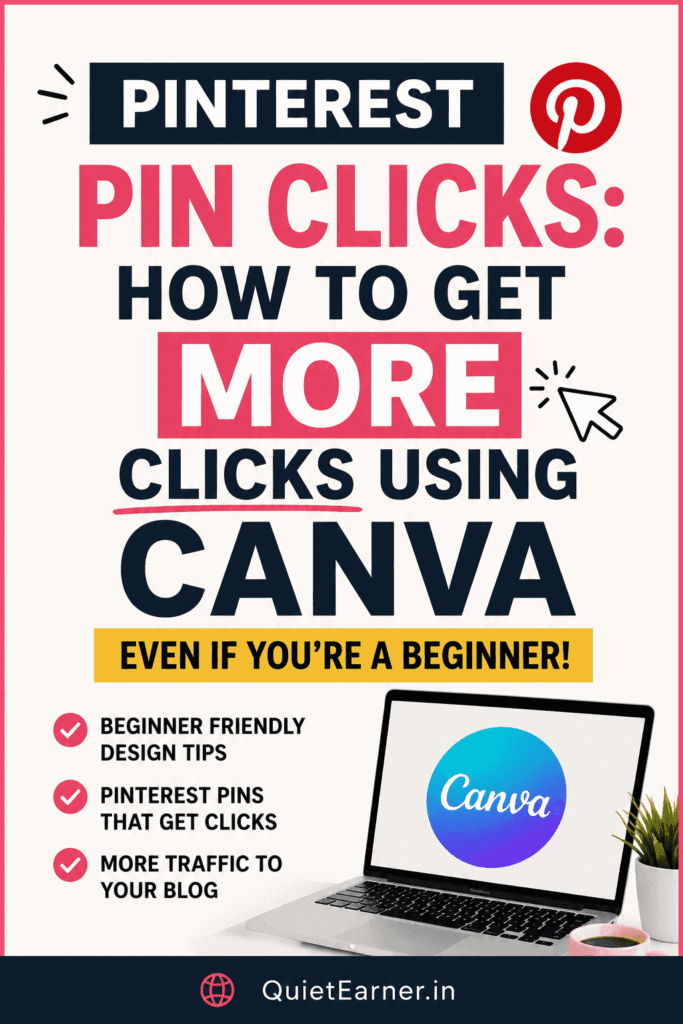
Why Your Pinterest Pin Clicks Are Low (And How to Fix It)
Let’s be honest — most pins don’t fail randomly. They fail for predictable reasons.
1. You’re designing for “aesthetic,” not clicks
Minimal, soft, pretty designs look good…
But they don’t always perform.
Pinterest is not Instagram.
👉 You’re not here for likes — you’re here for clicks.
2. Your message is too vague
A pin that says: “Pinterest Tips”
…does nothing.
But: 👉 “Pinterest Pins That Actually Get Clicks”
Now that’s specific.
Clarity beats creativity every time.
3. Weak contrast = low visibility
If your text doesn’t stand out instantly, it won’t get read.
No visibility → no clicks.
4. No curiosity or tension
People click when something feels:
- Useful
- Relatable
- slightly frustrating
If your pin feels too safe, it gets ignored.
You need a reason for someone to think:
👉 “Wait… what is this about?”
👉 Also, if your pins aren’t getting reach at all, fix that first:
Pinterest Pins Stop Getting Reach: Why It Happens (And How to Fix It)
5. No clear reason to click
This is where most beginners lose the click.
Even if your design looks good…
Even if your headline is decent…
If people don’t know what they’ll get after clicking, they won’t click.
“Pinterest Tips” = vague
“Get More Clicks Using Canva” = clear outcome
👉 Your pin should answer:
“What’s in it for me?”
If that’s not obvious instantly, you lose the click.
What Actually Increases Pinterest Pin Clicks
Most high-performing pins follow a simple structure:
👉 Hook + Clarity + Outcome
- Hook → stops the scroll
- Clarity → what is this about
- Outcome → what they’ll get
Example:
“I Posted Pins Daily… Still No Clicks”
→ For Pinterest Beginners
→ Fix This First
Simple. Direct. Effective.
How to Design Canva Pinterest Pins for More Pinterest Pin Clicks
You don’t need to be a designer to create high-performing pins.
You just need the right approach.
Most beginners use Canva because it’s simple and doesn’t require any design experience.
You can start with the free version, but if you want:
- better templates
- faster workflow
- more design flexibility
Then upgrading makes things much easier.
👉 If you’re serious about increasing Pinterest pin clicks, start designing with Canva here
Step 1 — Use the Right Size
Stick to vertical pins:
👉 1000 × 1500 px
This format works best for Pinterest traffic for beginners.
Step 2 — Fix Your Contrast
Avoid:
- light background + light text
Instead:
- white or dark base
- bold readable text
- one highlight color
These small Pinterest pin design tips make a huge difference.
Step 3 — Focus on ONE Message
Don’t try to say everything.
Bad: “Tips + tools + mistakes + strategy”
Good: 👉 “Pinterest Pin Mistakes That Kill Your Clicks”
Clear wins every time.
Step 4 — Highlight Important Words
Draw attention to:
- click
- mistake
- beginner
This improves readability instantly.
Step 5 — Keep It Clean
- 2–3 fonts max
- enough spacing
- no clutter
Clean pins perform better — simple as that.
5 Pin Ideas You Can Create Today
If you’re stuck, start with these:
- “Pinterest Pins That Get Clicks (Beginner Guide)”
- “I Posted Pins Daily… Still No Clicks (Here’s Why)”
- “Canva Pins That Actually Drive Traffic”
- “Stop Making These Pinterest Pin Mistakes”
- “How I Fixed My Pins and Started Getting Clicks”
👉 These are easy to turn into Canva Pinterest pins without overthinking.
How This Turns Into Affiliate Income
Clicks are just the first step.
What actually matters is what happens after the click.
Here’s the system you’re building:
Pinterest Pin
→ Blog Post
→ Tool recommendation
→ Affiliate click
If you don’t yet understand how this works in detail, read:
Pinterest Affiliate Marketing for Beginners (Step-by-Step to Earn Income) (Blog 21)
That’s where everything connects.
Mistakes You Should Stop Making
- Posting randomly without a plan
- Changing strategy every few days
- Copying designs without understanding
This just slows you down.
What You Should Do Next
Keep it simple:
- Create 2–3 pins for this blog
- Use strong, clear hooks
- Post consistently
- Improve based on what works
No overthinking.
Final Thoughts
You don’t need:
- expensive tools
- complicated strategies
- perfect designs
You need: 👉 clarity
👉 consistency
👉 repetition
That’s how you start getting Pinterest pin clicks that actually lead somewhere.
And if you want to make the process faster and easier,
👉 start using Canva properly instead of guessing.
Leave a Reply